One of the questions I hear most often from students or young designers is:
“How do I know which command to use?”
Most people who start learning CAD spend a lot of time trying to understand how every tool works. They watch tutorials, follow steps, and try to memorize commands. But being a good designer is not only about knowing how to click buttons. It’s much more about understanding why you choose a certain tool in the first place.
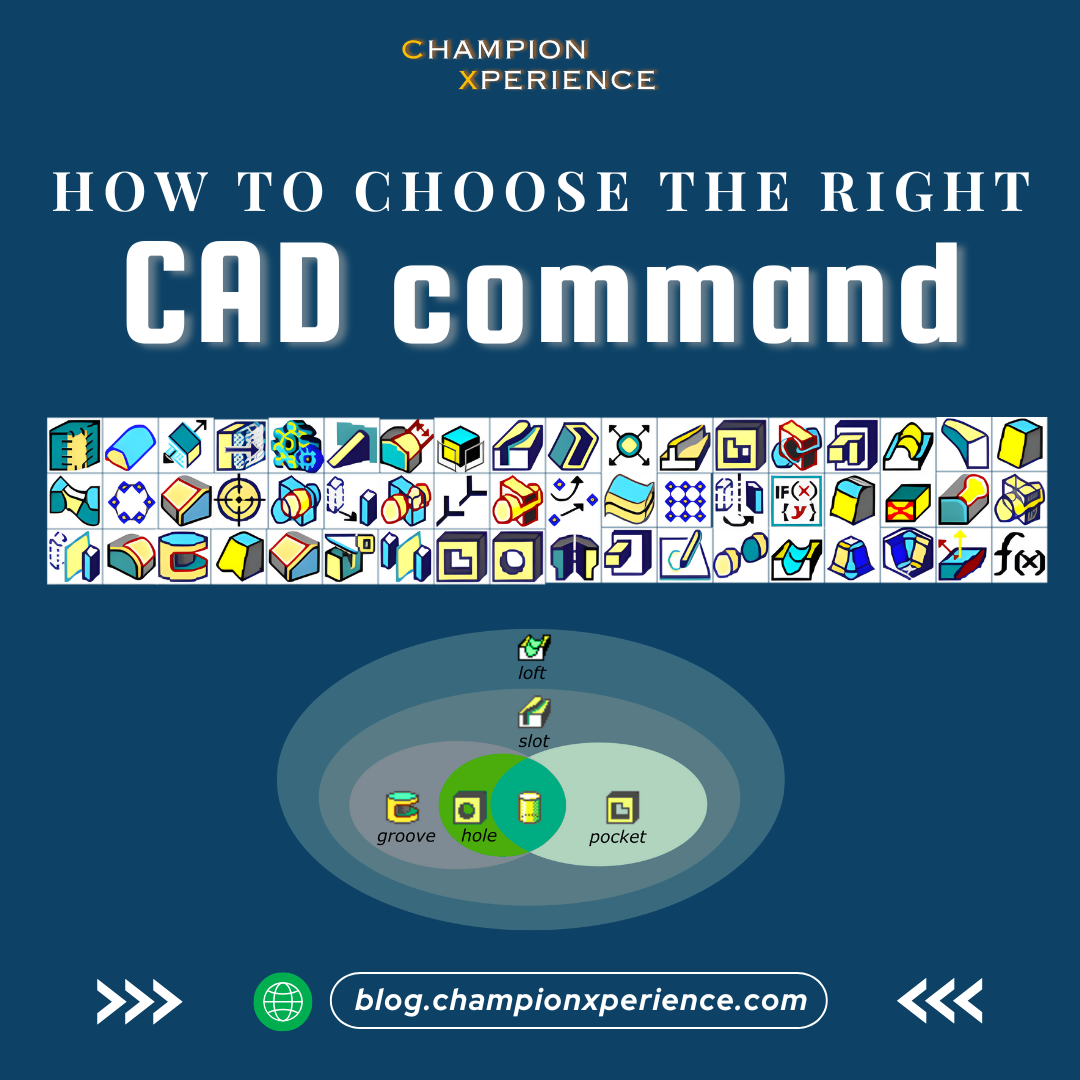
When you start asking “Why?”, your design decisions become more logical, more intentional, and much easier to modify later. That’s also the heart of the TRIZ approach: before jumping into the solution, understand the reason behind it.
A designer can make mistakes, that’s normal but a thoughtful designer always has a reason behind every decision.
So before we answer
“How to choose the right command?”, we need to ask two simple questions:Why are we creating this feature?
And how will it be made in real life?
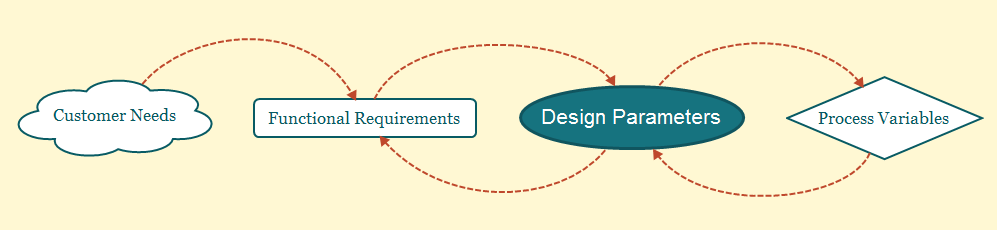
Every 3D model exists to serve a function. At the same time, every real product must be made using specific machines, process limits, materials, and tolerances.
These two things, the function and the manufacturing process, act like the two walls of a corridor. Your design must stay between them.
The same idea applies when you choose a CAD command.
Your command selection needs to support:
the purpose of the shape
the way the part will be manufactured
and the possible changes that may happen later in the project
To show this in a clear way, let’s use a simple example: the cylinder.
A cylinder is one of the easiest shapes to create in any CAD software. But interestingly, you can create the same cylinder with many different commands. For example:

All five commands can give you the same cylinder but each command creates a different type of feature.
Hole is strictly limited but very fast and stable.
Pocket gives more freedom but stays simple.
Groove and Slot allow more complex revolved and guided shapes.
Loft gives the highest design freedom but also brings the highest risk if you misuse it.
Think of these commands as “levels of flexibility.”
A Hole is very rigid, it will always remain a clean cylindrical cut.
A Loft can become almost any shape, smooth transitions, organic forms, multi-section geometry.
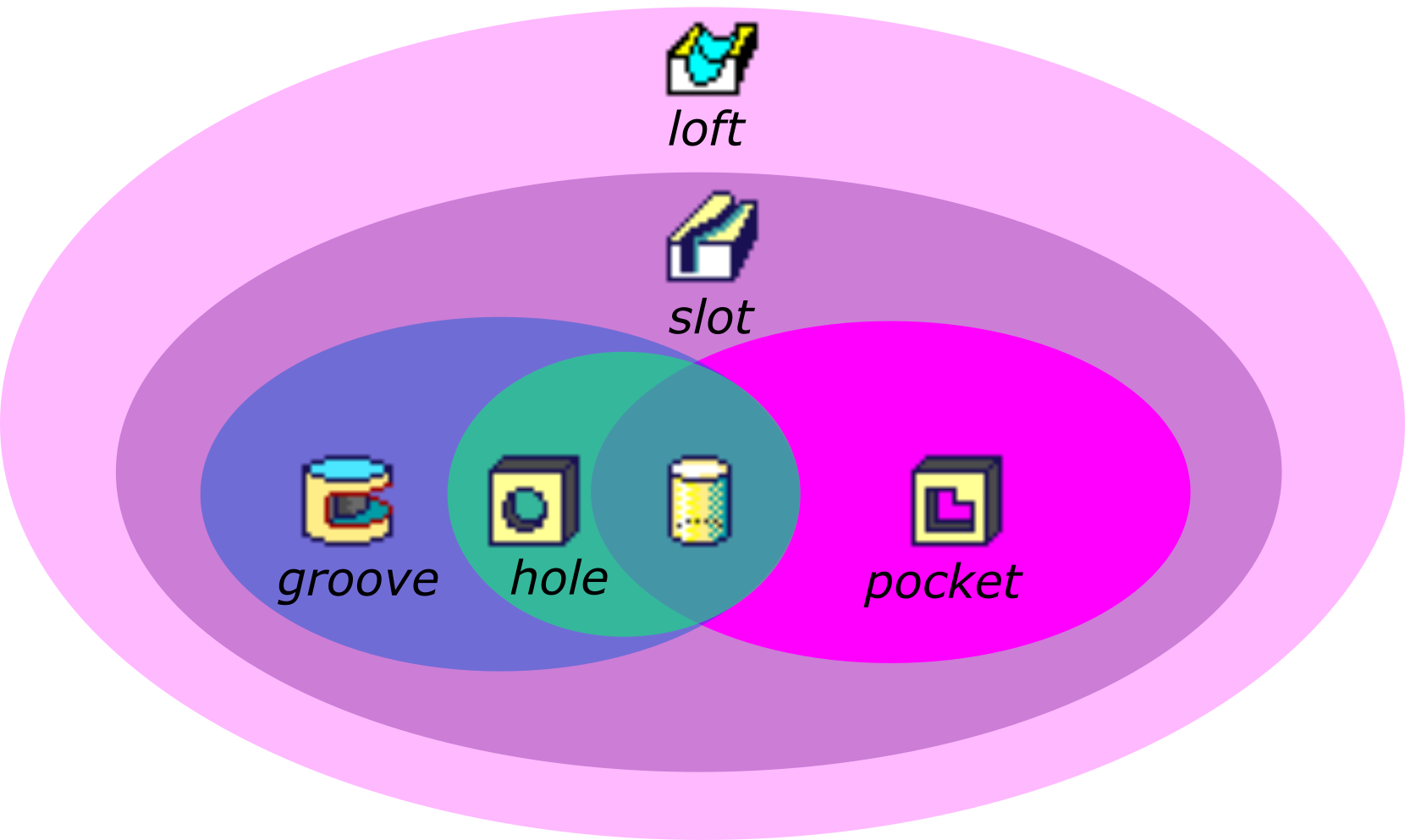
So even when the final shape looks identical, the modeling decision behind it can be very different.
This brings us to the main question:
If all these commands can make a cylinder, then which one should we choose?
The answer depends on two things:
The function of the feature
The manufacturing process
When you combine both, the “right” command becomes much easier to identify.
Let’s go through two common situations to make this clearer.
Imagine a cylinder meant to guide both rotation and translation, like a shaft moving in a bearing.
In this case, the shape must stay perfectly cylindrical, no matter what changes happen later. Even if you modify upstream features, the function cannot change.

Here:
Function: precise cylindrical guidance
Manufacturing: CNC machine (with high capability)
Flexibility: almost none
The best command here is Hole.
Why?
A hole ensures the geometry stays a perfect cylinder
It uses minimal inputs (less chance of error)
It makes future modifications safe
It produces a clean, simple, robust feature
Using
Groove or Slot would give you more flexibility than you need, which can actually become a problem during revisions.You could use them, but you don’t need to, and they introduce unnecessary risk.
Now imagine a different case: a cylinder that may later need optimization, reducing weight, changing thickness, tapering the shape, or adapting to different loads.
But the manufacturing process is simple, and cannot produce very complex shapes.
In this case:
Function: may require optimization
Manufacturing: limited capability
Flexibility: moderate
Using a Loft here is useless because the machine cannot produce complex shapes.
Using a Hole is also too restrictive. If you commit to a Hole, you block future modifications. Any attempt to adjust the shape may force you to delete and recreate the feature, wasting time and risking mistakes.
Here, Pocket gives the right balance:
simple enough to match manufacturing
flexible enough for future improvements
doesn’t lock the design into a rigid shape
This is what good CAD modeling is all about, selecting the command that supports both the current needs and the possible future needs.
Many beginners select commands based on what is quickest at the moment.
They choose the tool that generates the shape with the fewest clicks.
But modeling is not about speed in the beginning, it’s about making a model that survives change.
Changes will always come:
Clients will ask for revisions
Manufacturers will propose adjustments
Managers will ask for design improvements
Your own ideas will evolve as you design
If you choose a rigid or overly complex command in the beginning, your model becomes difficult to modify. You may need to completely rebuild features or even restart the part from scratch.
A good choice at the beginning takes only a little extra time but it saves hours, sometimes days, during revisions.
That’s why experienced designers don’t model for the shape.
They model for the design intent.
Some designers get stuck using the same familiar commands over and over. They say things like:
“I don’t have time to think about smarter modeling.”
“I just need to finish this quickly.”
“I’ll optimize later.”
But “later” almost never comes and when it does, the model is already too fragile to modify easily.
Taking a moment to think about Why and How is never wasted time. It leads to:
cleaner and safer models
fewer rebuild errors
faster adaptation to design changes
more creativity
better communication with manufacturing
When the model is well-structured, everything else becomes smoother.
Choosing the right CAD command is not about memorizing software menus.
It is about understanding:
the purpose of the feature
how the part will be made
how much flexibility you need
how likely the design is to evolve
If you start every feature with the question “Why am I creating this?”, your models will immediately become stronger, cleaner, and much easier to update.
A cylinder may look simple, but the thought behind it reveals the real skill of a designer.
So next time you pick a command, don’t start with “How do I use this?”
Start with “Why do I need this?”
That single shift makes all the difference.